Employee scheduling, GPS time clock, timesheets, time off, and team chat in one workforce app your crew will actually open — on the floor, in the field, or on the go.
145 hrs scheduledLabor $2,465 · 24.1% of sales No conflicts
8:58
Saturday, Nov 21
Morning, Jordan
Inside geofence · Downtown Café
Clock in
Shift 9:00 AM – 5:00 PM · Barista
30 min break
at 1:00 PM
4 tasks
Opening list
Labor cost −12%
vs. last month · 3 locations
Jordan clocked in
8:58 AM · Downtown Café · GPS verified
Swap approved
Maya ↔ Sam · Fri close
Built for restaurants, clinics, retailers, hospitality, and field crews
Harbor & Vine
BRIGHTSIDE
Pine St. Clinics
sparkle&co
Northloop Fitness
Copper Kettle
URBAN BUILD
Tidewater Inn
Harbor & Vine
BRIGHTSIDE
Pine St. Clinics
sparkle&co
Northloop Fitness
Copper Kettle
URBAN BUILD
Tidewater Inn
for schedule, clock, chat & tasks
1 app
to set up your first workspace
< 10 min
verified clock-ins at every site
GPS
plan to start — no card needed
Free
Features
Employee scheduling & time tracking, start to finish
Stop juggling spreadsheets, group texts, paper timecards, and a separate chat app. Schedule shifts, clock hours, approve time off, message the crew, and close checklists in one connected workforce platform.
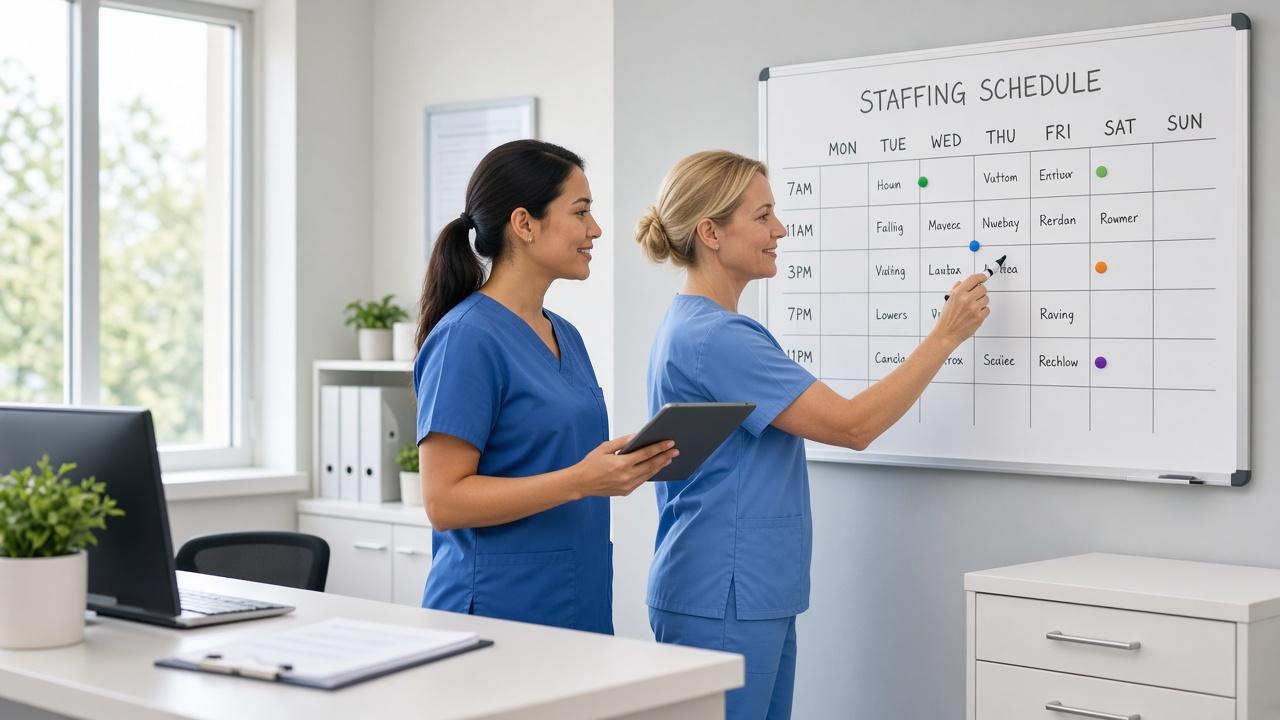
Build next week's schedule before your coffee gets cold
Drag shifts onto a weekly grid, reuse templates for your busiest days, and publish to every phone in one tap. Built-in guardrails catch problems before they become payroll surprises.
Drag-and-drop weekly and daily views across locations and roles
Reusable templates, copy last week, and recurring shifts
Open shifts employees can claim, plus manager-approved swaps
Conflict, availability, and overtime alerts as you build
Weekday openWeekend rushHoliday close
Fri
Sat
Sun
7a–3p
Jordan
10a–4p
Chris
Open · 4p–10p
8a–4p
Ava
5p–11p
Sam
Maya would hit 44h this week. Move Saturday to Sam to avoid $96 in overtime?
Accurate hours, verified at the door
Employees clock in from their phone. Geofences keep punches honest, breaks are tracked automatically, and timesheets arrive ready to approve.
GPS geofencing with server-side validation for every punch
Paid and unpaid breaks with compliance reminders
Live view of who's on the clock across every location
One-click timesheet approvals and CSV export for payroll
Timesheets · Nov 9–22 CSV
Jordan Lee38.5happroved
Maya Patel41.0hreview
Chris Gomez24.25happroved
Ava Thompson28.0hpending
150 m geofence
Time off that never surprises the schedule
Employees request PTO and set recurring availability from the app. Approved requests flow straight into the scheduler so you never book someone who is on a beach.
PTO, sick, and unpaid request types with balances
Recurring weekly availability and one-off blackout dates
Approve or deny from a phone with full team context
Scheduler warns before you book over approved time off
Channels for every location, direct messages, and pinned announcements with read receipts, all kept separate from employees' personal numbers.
Location, role, and company-wide channels created automatically
Announcements with read receipts so you know who saw it
Direct and group messages without sharing phone numbers
Mute notifications automatically when someone is off the clock
New uniform policy starts Dec 1
Black aprons are in the back office. Grab yours before your next shift.
Read by 46 of 48
# eastside-kitchen
Can anyone cover my Thursday close?
I've got it. Sending a swap request now.
Opening, closing, and everything in between, done right
Turn your standard operating procedures into checklists tied to shifts and locations. Require a photo when it matters and see completion in real time.
Recurring checklists attached to shifts or locations
Photo proof for temps, displays, and cleanliness checks
Due times, assignees, and overdue nudges
Completion history for audits and health inspections
Opening checklist · Downtown3/4
Unlock doors & disarm alarm
Log walk-in cooler temp36°F
Restock pastry case
Wipe down patio tables
Trainings, meetings, and parties people show up to
Post events to the whole company or a single location, collect RSVPs, and send automatic reminders the day before.
Company, location, or role-targeted events
Going, maybe, and not going RSVPs with live headcounts
Automatic push reminders before the event starts
Attach agendas, menus, and training documents
DEC14
Holiday party
Harbor Room · 7 PM
31 going6 maybe
JAN08
Food safety training
Eastside · 2 PM
12 going2 maybe
Multi-location
Switch between sites or roll up labor across all of them.
Roles & permissions
Owners, admins, managers, and employees each see what they should.
Labor reports
Scheduled vs. actual hours, overtime, and labor cost by location.
Payroll export
Approved hours in a clean CSV, ready for your payroll provider.
Simple billing
Self-serve plans with secure card payments and invoices.
Easy onboarding
Invite by email or link. Employees are set up in under a minute.
Works everywhere
Web admin for managers, iOS and Android for the whole team.
Location aware
Geofences, addresses, and time zones per location.
Why teams choose Workflips
Workforce software that matches how hourly work actually runs
Spreadsheets break when someone calls out. Group chats bury the schedule. Paper timecards slow payroll.Workflips is built so scheduling, time clock, and team ops stay connected from publish to punch-out.
For operators
Replace the spreadsheet-and-group-chat stack
Workflips brings employee scheduling, time tracking, and team communication into one workforce platform — so managers spend less time chasing updates and more time running the floor.
One source of truth for who works when
Fewer last-minute text threads
Clear handoff from schedule to timesheet
For multi-site teams
Keep every location on the same operating rhythm
Whether you run one café or a network of clinics and stores, Workflips helps companies manage coverage, hours, and day-of changes without losing visibility across sites.
Location-aware schedules and clock-ins
Shared announcements that people actually see
Approvals that travel with managers on mobile
Want the full story behind the name?
See how Workflips helps companies manage people, priorities, and day-to-day ops.
Create a workspace, invite your team, and publish the first schedule the same day — no sales call required.
1
Create your workspace
~2 minutes
Sign up, name your company, and add your locations and roles. No sales call, no setup fee.
Company name
Copper Kettle Coffee
Downtown
Eastside
2
Invite your team
~5 minutes
Send email invites or share a join link. Employees download the app and are ready in under a minute.
maya@copperkettle.co Joined
chris@copperkettle.co Invited
Copy invite link
3
Publish your first schedule
~10 minutes
Drag in shifts or start from a template, then publish. Everyone gets a push notification instantly.
Publish week of Nov 23
Your schedule is live
5 shifts · 32 hours next week
Industries
Workforce management for teams that don't sit at desks
Whether your people wear aprons, scrubs, or hard hats, Workflips is tuned for how hourly work actually happens — not office calendars.
Restaurants & cafés
Balance front and back of house, cover call-outs fast, and keep labor in line with sales.
Shift swaps
Side-work checklists
Tip-friendly timesheets
Retail
Staff for foot traffic, run opening and closing procedures, and roll out promos across stores.
Multi-store
Visual merch photos
Announcements
Healthcare & care homes
Cover every shift with qualified staff and keep a clean record of who worked when.
Role-based scheduling
Open shifts
Audit history
Cleaning & field services
Dispatch crews to client sites, verify arrival with GPS, and capture proof of work.
Job-site geofences
Photo proof
Crew messaging
Hospitality
Coordinate housekeeping, front desk, and events teams across properties and seasons.
Department views
Event RSVPs
Seasonal staff
Construction & trades
Track crew hours by site, keep safety checklists current, and message the whole crew at once.
Site clock-in
Safety checklists
Crew chat
Mobile app
Your whole team, in their pocket
Managers run the operation from the web dashboard. Everyone else gets a fast, friendly app for iPhone and Android that puts their week, their hours, and their team in one place.
Clock in with one tap
GPS-verified punches with a live timer and one-tap breaks.
Swap and pick up shifts
Trade shifts or claim open ones without texting the manager at midnight.
Notifications that matter
Schedule changes, approvals, and announcements, muted when off the clock.
Time off in two taps
Request PTO, update availability, and see approvals without a paper form.
Simple enough for day one
No training needed. New hires figure it out before their first break.
Illustrative stories from the kinds of managers and operators the product is built for — restaurants, cleaning crews, and care teams.
“Sunday nights used to be me, a spreadsheet, and forty texts. Now I copy last week, fix two shifts, and hit publish. Call-outs get covered from the open-shift board before I even see them.”
6 hrs/week savedDO
Danielle Ortiz
General Manager, Copper Kettle Coffee · 3 locations
“Geofenced clock-ins ended buddy punching overnight. Our timesheets go straight to payroll as a CSV and we cut overtime by almost a quarter in the first two months on Workflips.”
“Our nurses actually read the announcements now, and I can see who has. Shift swaps that took days of back-and-forth happen in minutes, with the right credentials on every shift.”
98% read ratePR
Priya Raman
Director of Nursing, Pine Street Care Home
What managers get back when ops stay connected
Reuse templates and last week instead of rebuilding from scratch
Publish faster
See overtime risk while you build the schedule, not after payroll
Catch OT early
Open shifts and swaps reduce the midnight group-text scramble
Cover call-outs
Approved timesheets export ready for your payroll provider
Cleaner payroll
Outcomes depend on how you run schedules and time tracking today — these are the problems the product is designed to solve.
Pricing
Simple plans that grow with your team
One flat monthly price per workspace, not per head. Start free and upgrade only when you need more people or more power.
Free
For small crews getting off spreadsheets and group texts.
Yes. The Free plan covers scheduling, the time clock, time off, and events for teams of up to 5 people, with no time limit and no credit card required. Upgrade only when you need more people or features like team chat, tasks, and GPS clock-in.
Each plan is one flat monthly price for your whole workspace, up to the plan's user limit. There are no per-user fees inside a plan. Pay annually and save 20%. You can upgrade, downgrade, or cancel anytime from your billing settings.
Employees get the most out of the free iOS and Android app: shifts, clock-in, chat, tasks, and time-off requests. Managers and admins use the web dashboard, and can approve requests from the app too.
You draw a geofence around each location. When an employee clocks in, their position is checked against that geofence on our servers, not just on the phone, and the punch is flagged if they are outside it. Location is only captured at clock-in and clock-out, never tracked in the background.
Yes. Add as many locations as you need, each with its own address, geofence, and time zone. Schedule people across locations, filter by site, and roll labor reports up across the whole company.
Approved timesheets export as a clean CSV with regular hours, overtime, and breaks per employee, which imports into most payroll providers. Many teams cut their payroll prep from hours to minutes.
Most teams publish their first schedule within an hour of signing up. Create your workspace, add locations, invite employees by email or link, and start from a template or copy a week you already have.
All data is encrypted in transit and at rest, access is isolated per company with role-based permissions, and payments are handled by a PCI-compliant processor. We never sell your data.
Explore the live demo workspace anytime with no signup, or start on Free and upgrade for a month. If it is not the right fit, downgrade or cancel in two clicks.
Next week's schedule could already be done
Set up your workspace in minutes and give your team an app they will actually use. Free for up to 5 users, forever.
No credit card · Cancel anytime · Setup in under 10 minutes
Workflips offers employee scheduling software with a free plan for up to 5 users, GPS time clock, timesheets, time off, team chat, and task checklists for restaurants, retail, healthcare, hospitality, and field teams.